Confirm the source
Check export access or a supported connection, including available fields and provider charges.

Products / NXTdeal Marketplace
Find solutions for connecting supported systems to NXTdeal. We welcome software vendors and OEMs who want to build useful dealership connections.
The everyday challenge
Changing systems raises practical questions: what can come across, which fields match, and which records need review? The decision should begin with a clear view of the available data.
Take the controls
Fictional dealership data. Explore working reports and connected workflows in this website simulation; it is not the live NXTdeal interface.
Design a sample system mix, inspect the data flow, and resolve an import exception before it reaches the dealership. These are integration categories, not a live connector catalog.
2 selected systems
Choose which systems to keep and what data belongs in NXTdeal. Every provider connection needs its own permissions, supported objects and compatibility review.
Vendors and OEMs: this illustrates the experience a supported integration can enable, not a claim of certification.Select at least one system and validate to inspect the sample import.

Inside the product
Captured from NXTdeal. Explore the screens, then try the product in your own dealership.
The actual connection setup screen. This demo account shows simulated provider capabilities; it does not demonstrate live third-party integrations.
View full-size screenshot ↗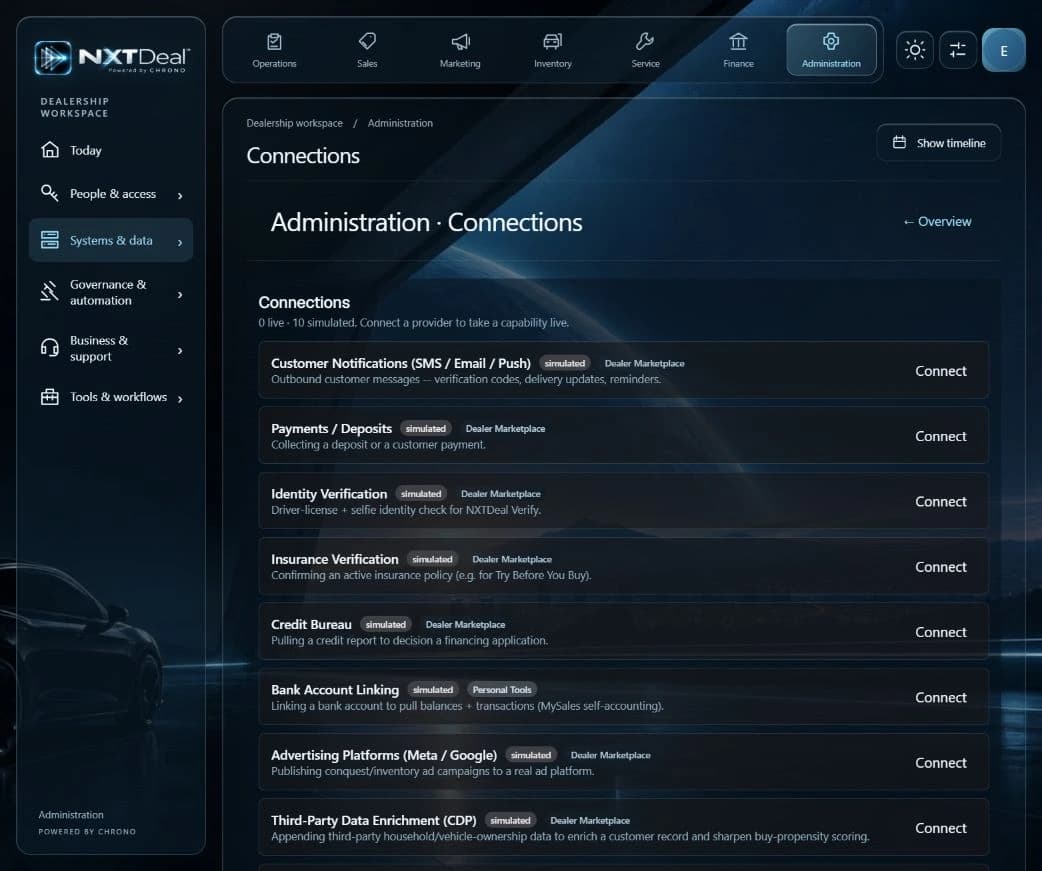
From the example to your operation
Check export access or a supported connection, including available fields and provider charges.
Use Engine to help with supported conversion steps. Check mappings, duplicates, and exceptions.
Review imported information and the target workflow before relying on it in the dealership.
How it fits your dealership
Check connection scope and provider requirements.
Adopt NXTdeal alongside the systems you choose.
Review imported data before putting it to work.
A practical starting point
Identify the system and records you want to connect, check the available path, and begin with a small reviewed scope.
Before you begin
The available path depends on the source system, accessible data, and supported conversion steps. Review the scope before starting.
Yes. We welcome integration discussions through Marketplace. Each connection needs confirmed requirements, access, and compatibility.
No. Explore these examples, then start free. Try your choice of Pro features for 30 days and choose whether to continue on a paid plan or return to Free.
Your next step
Start free for up to 20 users. Try your choice of Pro features for 30 days. Dealership Lab is included for everyone.
Use the capabilities in your plan, connect supported systems, and choose your own AI. AI-led guidance helps you get started.